
Landing Page Structure: iBody EMS Firmware Overview
1. App Screens & User Flow
💡 What the Developer Must Understand
-
The app sends all settings via BLE as a 28-byte binary packet
-
The user can select one of 6 preset workouts (Fat Burn, Cardio, etc.)
-
The user can edit:
-
Pulse Time, Pause Time, Workout Time, Frequency, Pulse Width, Rise Time, Fall Time
-
-
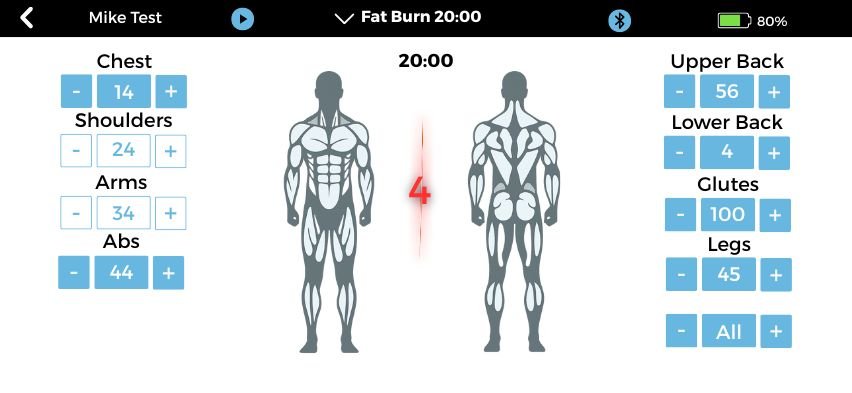
Each of the 8 muscle groups can be:
-
Activated or deactivated by tapping the blue intensity box
-
Intensity controlled from 0–100
-
-
“All” button sets or clears all 8 intensities at once
📸 App Screens:
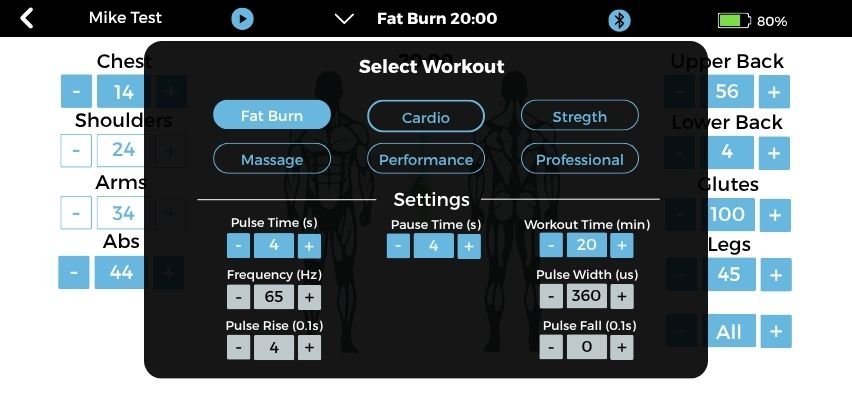
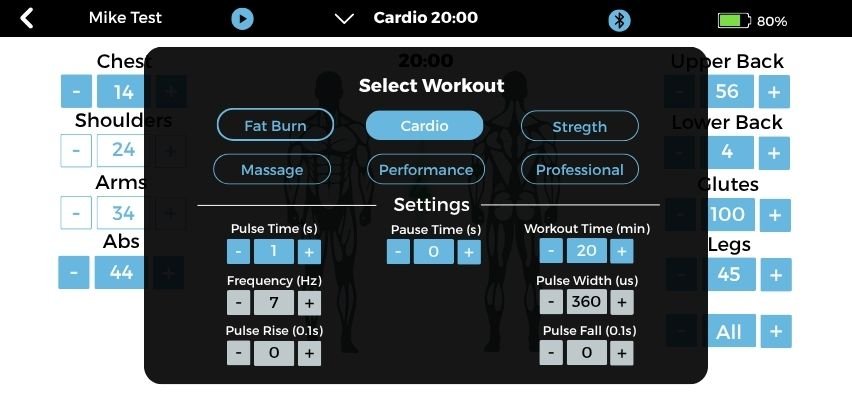
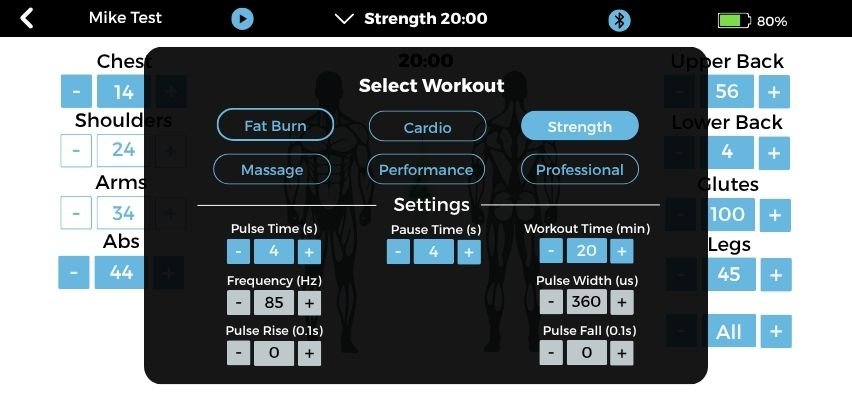
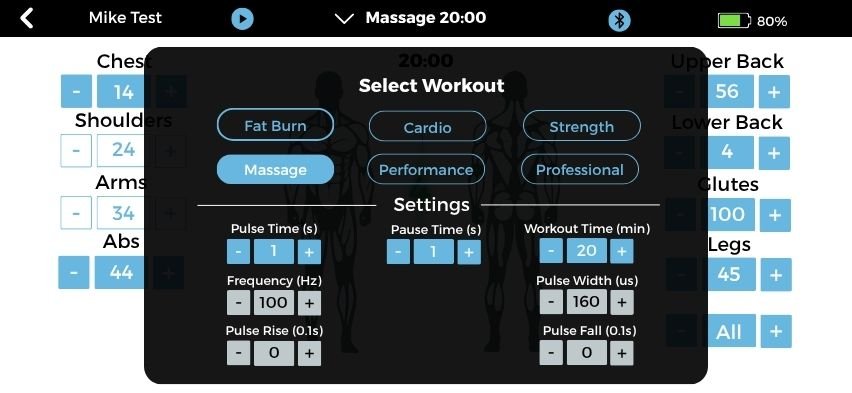
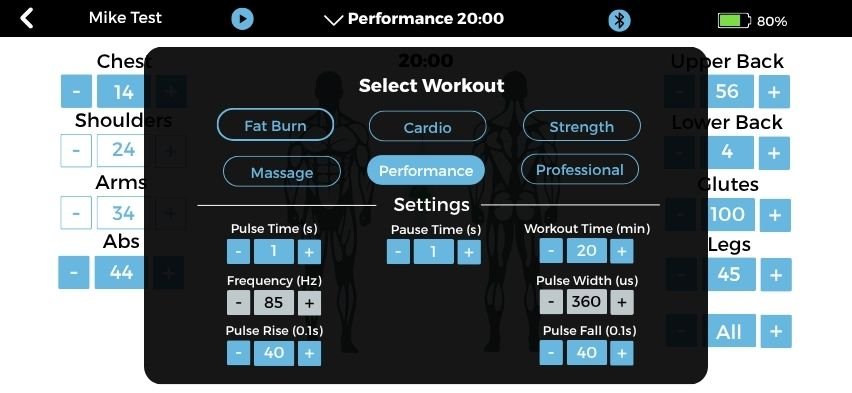
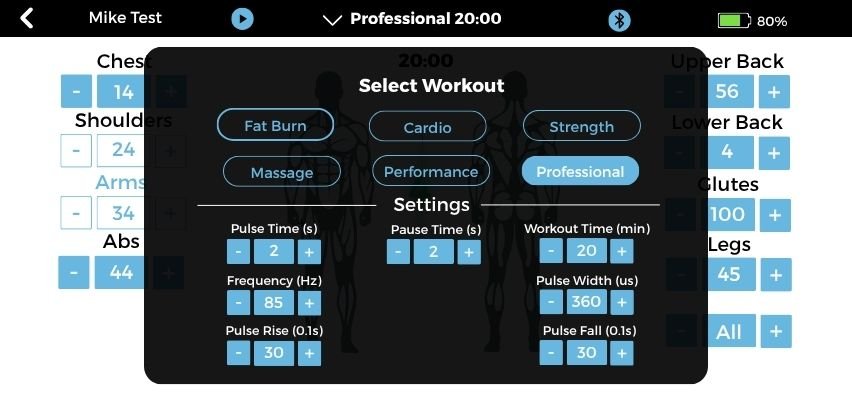
Workout Screen: Full control screen with intensity + body parts
2. BLE Packet Format (Copy-Paste for Docs)
text
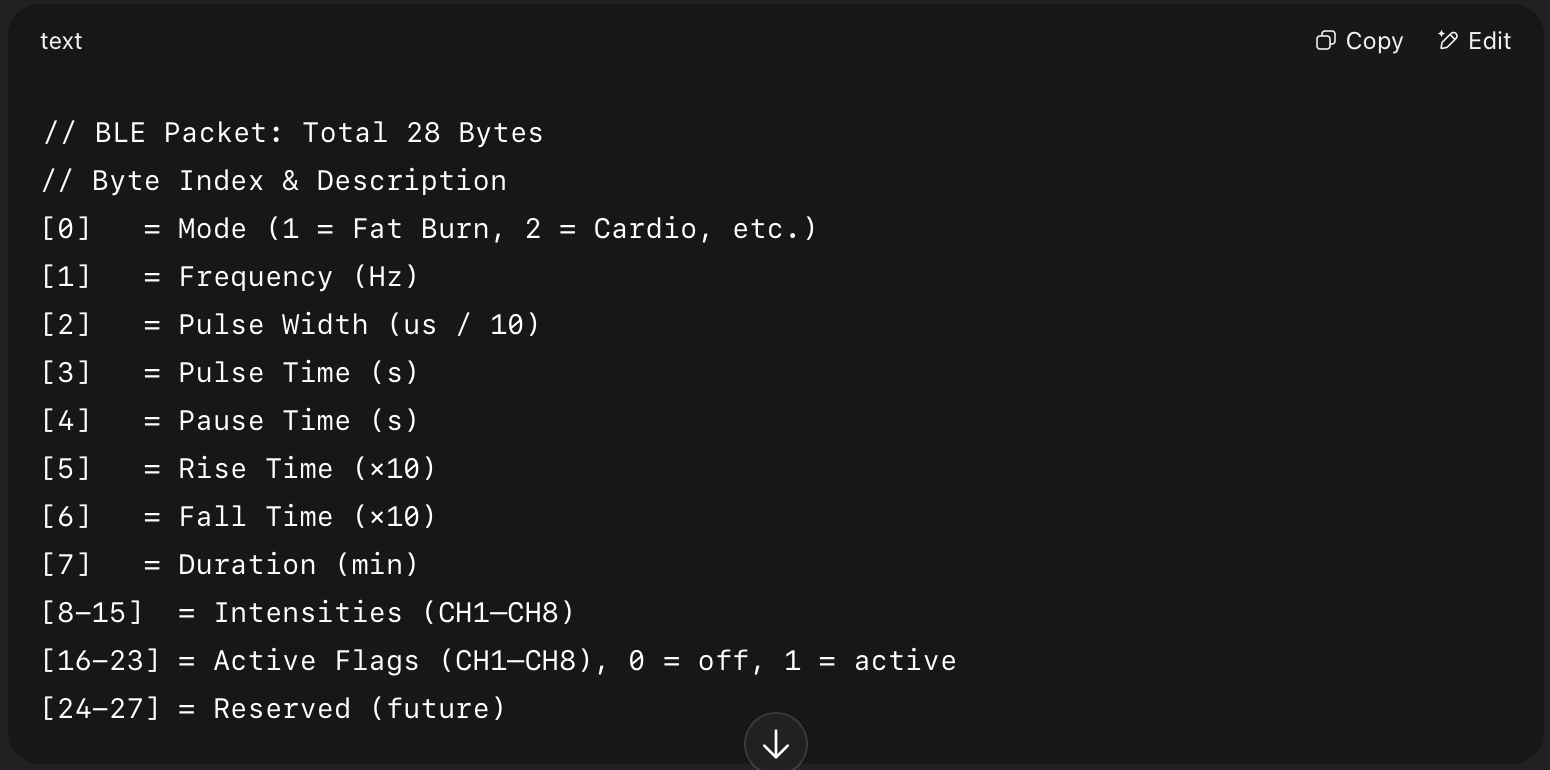
// BLE Packet: Total 28 Bytes
// Byte Index & Description
[0] = Mode (1 = Fat Burn, 2 = Cardio, etc.)
[1] = Frequency (Hz)
[2] = Pulse Width (us / 10)
[3] = Pulse Time (s)
[4] = Pause Time (s)
[5] = Rise Time (×10)
[6] = Fall Time (×10)
[7] = Duration (min)
[8-15] = Intensities (CH1–CH8)
[16-23] = Active Flags (CH1–CH8), 0 = off, 1 = active
[24-27] = Reserved (future)
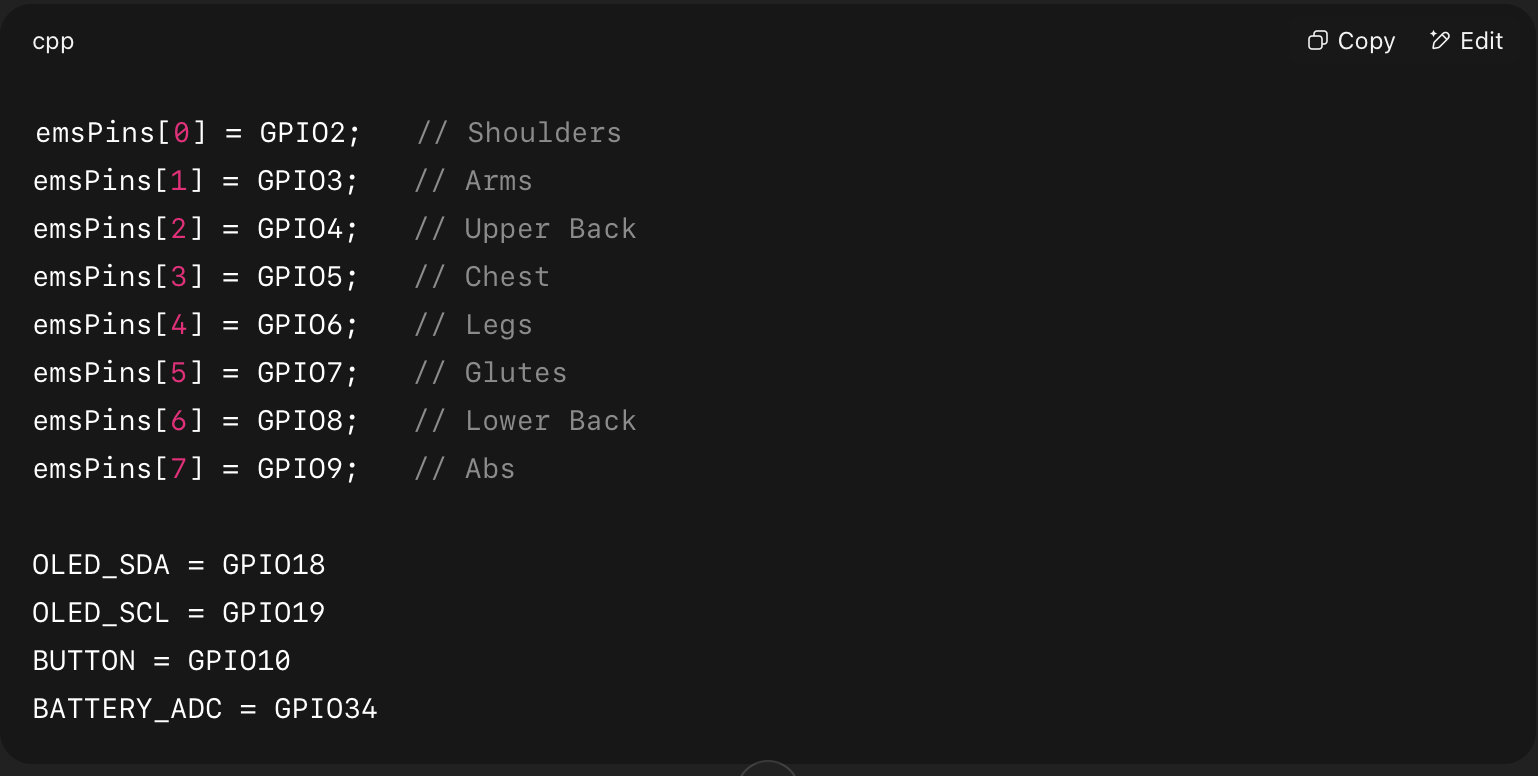
3. ESP32-S3 Pin Mapping
cpp
emsPins[0] = GPIO2; // Shoulders
emsPins[1] = GPIO3; // Arms
emsPins[2] = GPIO4; // Upper Back
emsPins[3] = GPIO5; // Chest
emsPins[4] = GPIO6; // Legs
emsPins[5] = GPIO7; // Glutes
emsPins[6] = GPIO8; // Lower Back
emsPins[7] = GPIO9; // Abs
OLED_SDA = GPIO18
OLED_SCL = GPIO19
BUTTON = GPIO10
BATTERY_ADC = GPIO34
4. Firmware Snippets (Copy-Paste)
Each block includes where it belongs.
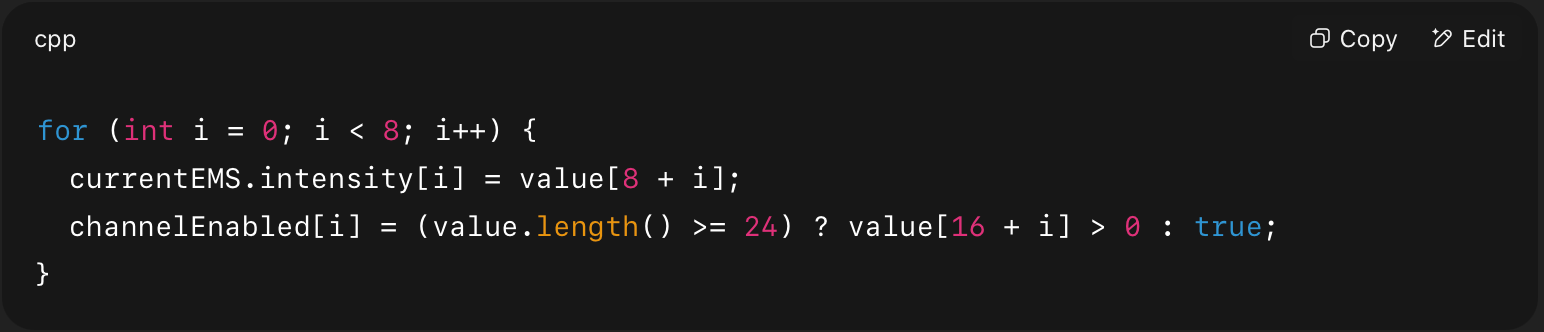
🔌 BLE Parser
cpp
for (int i = 0; i < 8; i++) {
currentEMS.intensity[i] = value[8 + i];
channelEnabled[i] = (value.length() >= 24) ? value[16 + i] > 0 : true;
}
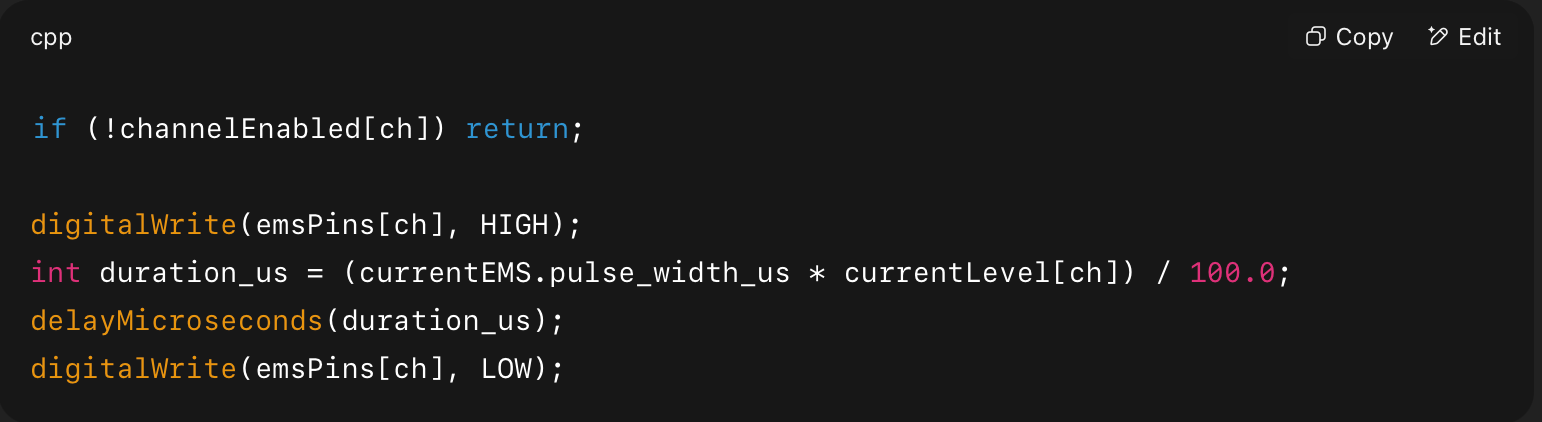
⚡ Pulse Output per Channel (used in pulseHighLow)
cpp
if (!channelEnabled[ch]) return;
digitalWrite(emsPins[ch], HIGH);
int duration_us = (currentEMS.pulse_width_us * currentLevel[ch]) / 100.0;
delayMicroseconds(duration_us);
digitalWrite(emsPins[ch], LOW);
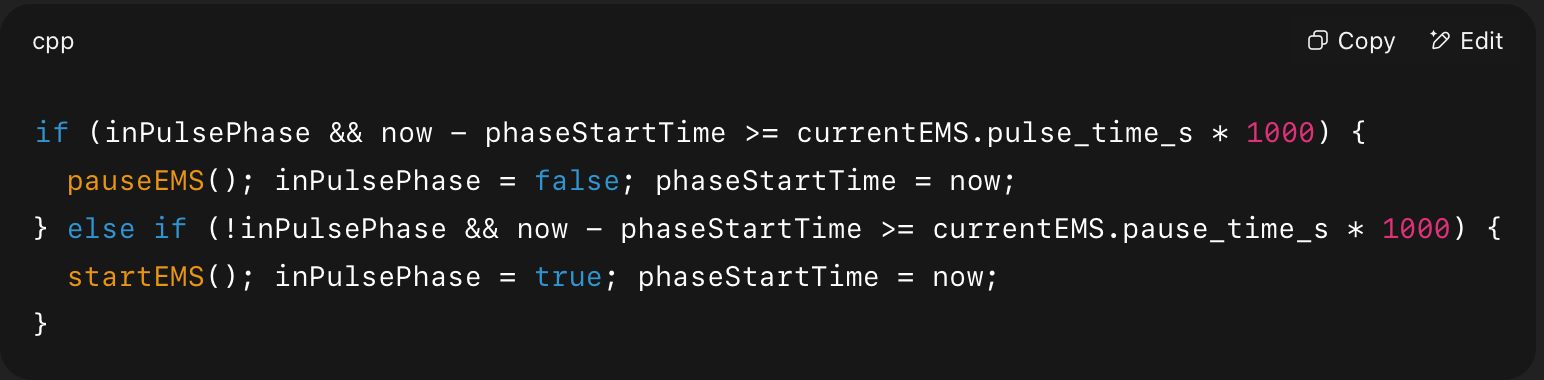
🕹️ Pulse/Pause Scheduler in loop()
cpp
if (inPulsePhase && now – phaseStartTime >= currentEMS.pulse_time_s * 1000) {
pauseEMS(); inPulsePhase = false; phaseStartTime = now;
} else if (!inPulsePhase && now – phaseStartTime >= currentEMS.pause_time_s * 1000) {
startEMS(); inPulsePhase = true; phaseStartTime = now;
}
⏳ Duration Control

cpp
if (millis() – workoutStartTime >= currentEMS.duration_min * 60000) {
stopEMS(); currentEMS.mode = 0;
}
📈 Rise/Fall Logic

cpp
float ratio = min(1.0, (millis() – rampStartTime) / (currentEMS.rise_time_s * 1000.0));
currentLevel[i] = currentEMS.intensity[i] * ratio;
📺 Display Status

cpp
display.printf(“BLE: %s\n”, bleConnected ? “Connected” : “Not Connected”);
display.printf(“Status: %s\n”, inPulsePhase ? “Pulse” : “Pause”);
📡 5. OTA Firmware Setup
WiFi Credentials (in setup())

cpp
WiFi.begin(“SSID”, “PASSWORD”);
ArduinoOTA.begin();
OTA Handler

cpp
ArduinoOTA.handle();
✅ Final Checklist for Freelancer
-
BLE receiving 28-byte packets with per-channel intensity + active flags
-
OLED shows battery, BLE, session phase, and time left
-
Pulse time / pause time scheduler working
-
EMS impulses respect
currentLevel[i]and smooth ramping -
Only
channelEnabled[i] == truechannels generate output -
OTA updates possible via WiFi